Making my advert
- Bethany Capstick

- May 15, 2019
- 2 min read
The first thing I did was remove the background from this images. I used the quick select tool around this image and then deleted the background, before doing this though i had to unlock the background. Once i had done this i cropped the image and then i exported it.





This was the photograph I decided to use for my advert as the phone was angled well and i didn't want to use the pictures of when my apps were on display.

Once i had cropped the top bit of the picture off i increased my brightness as the original image looked dark and brighter adverts would get more attention. I then increased the contrast which made the phone and its background stand out more as the brightness took away some of the details in the image.
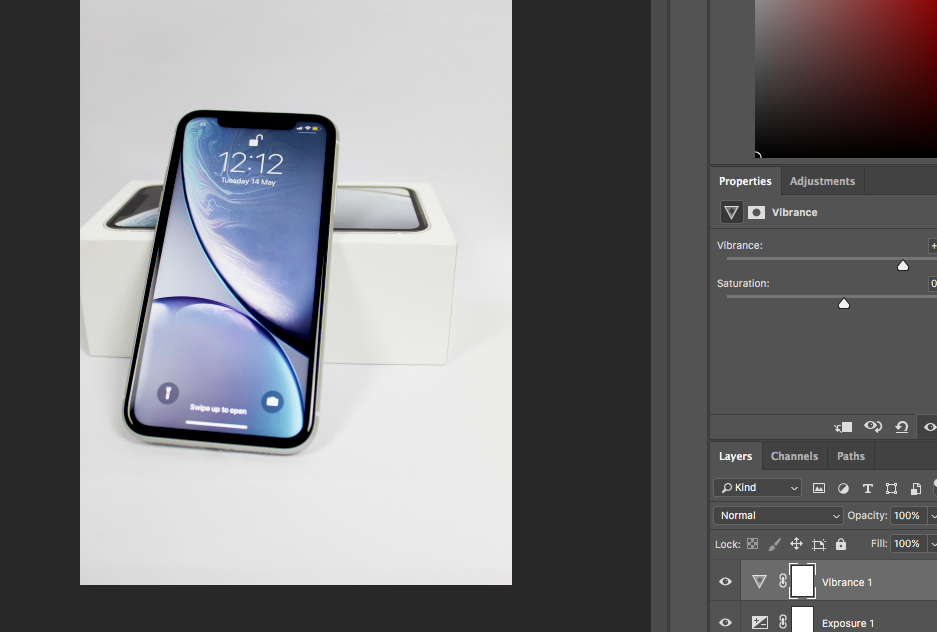
I then added vibrance to my image which improved the background on the phone and made all of the colours brighter and stand out more.
In photoshop I then also added some of the text as well as adding the first image (the back of the phone) that i photoshopped. The text I added was "WIN The Brand NEW iPhone XR".
My original advert only had that text on it but once i put it onto my page on flipsnack i realised that i didn't say how they could win it. So i decided to write how they could win it using the oswald font i have used throughout the magazine




I was then deciding on which layout/design I wanted for the adverts page. When i used the image as a whole page i had to make the text smaller and some of the heading was coming of the page, I also found that the main background of the advert wasn't white and didn't match the corresponding page.
So i then made the image smaller and wanted to put a small border around the edge so i used the circle shape on flipscack and put them around the page in different sizes but using the colour scheme. When i went to preview this i found that there was too much red from this spread so i only used two circle in the top left hand corner.


Comments