Inserting an image in a shape
- Bethany Capstick

- May 1, 2019
- 1 min read
https://www.photoshopessentials.com/basics/place-images-into-shapes-with-the-new-frame-tool-in-photoshop-cc-2019/ This was the site i was supposed to use to learn how to dod this skill however it was for photoshop 2019 so i didn't have the tools on my photoshop. So i then searched for other ways to do it on the 2018 version bit i couldn't find any.
I then decided to try and do it without any help and here was my process:
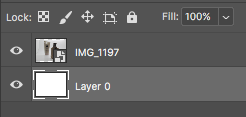
The first thing i did was to insert my image into photoshop, i took this image in a previous lesson.
I then drew a shape with the ellipse shape and made sure the shape layer was over the image layer.
I then made sure there was o fill on the shape and the line of the shape was thicker so it would be easier to crop into.
Once i had done this i merged the shape and image layer together.
After all this was done i used the quick select tool and went around the outline of the circle and then pressed the delete so i only had the image in a shape left on the background.







Comments